
24-Hour Action Plan App on ThingWorx for Daily Plant Management
By PSPTechHub ·
Summary
A 24-hour action plan is the list of jobs a production area must get done in the next day: fixes, checks, cleanings and follow-ups from problems found on the line. This plant team ran theirs in a ThingWorx app called Ap24. PSPTechHub delivered version 2.0 with saved personal views, configurable text size, extra activity fields, quality and safety triggers per department, and defects sent straight from team meetings. We also built a migration tool that upgrades each site without losing any of its data, and fixed compatibility issues on newer ThingWorx versions.
The Problem: Teams Had Outgrown Their Action Plan App
Every shift finds things that need doing: a guard to fix, a check to repeat, a defect to follow up. The plant used a ThingWorx app to plan these actions, but the teams had outgrown the first version.
Everyone saw the same cluttered view
Users had to set their filters again every time they opened the plan.
Triggers set line by line
Quality and safety questions had to be configured for each line separately, even when a whole department worked the same way.
Defects typed in twice
Problems raised in team meetings had to be re-entered as actions by hand.
Upgrades risked the data
Each site held months of actions, so a new version could not simply replace the old database.
Newer ThingWorx broke screens
On ThingWorx 9.3 and later, some screens stopped working and the scheduler could appear empty.
The Solution: Version 2.0 and a Safe Way to Roll It Out
PSPTechHub delivered Ap24 version 2.0 and a safe way to roll it out. The day-to-day flow stayed the same, so teams didn't need retraining; the changes remove clicks and repeat work.
One plan for the next 24 hours
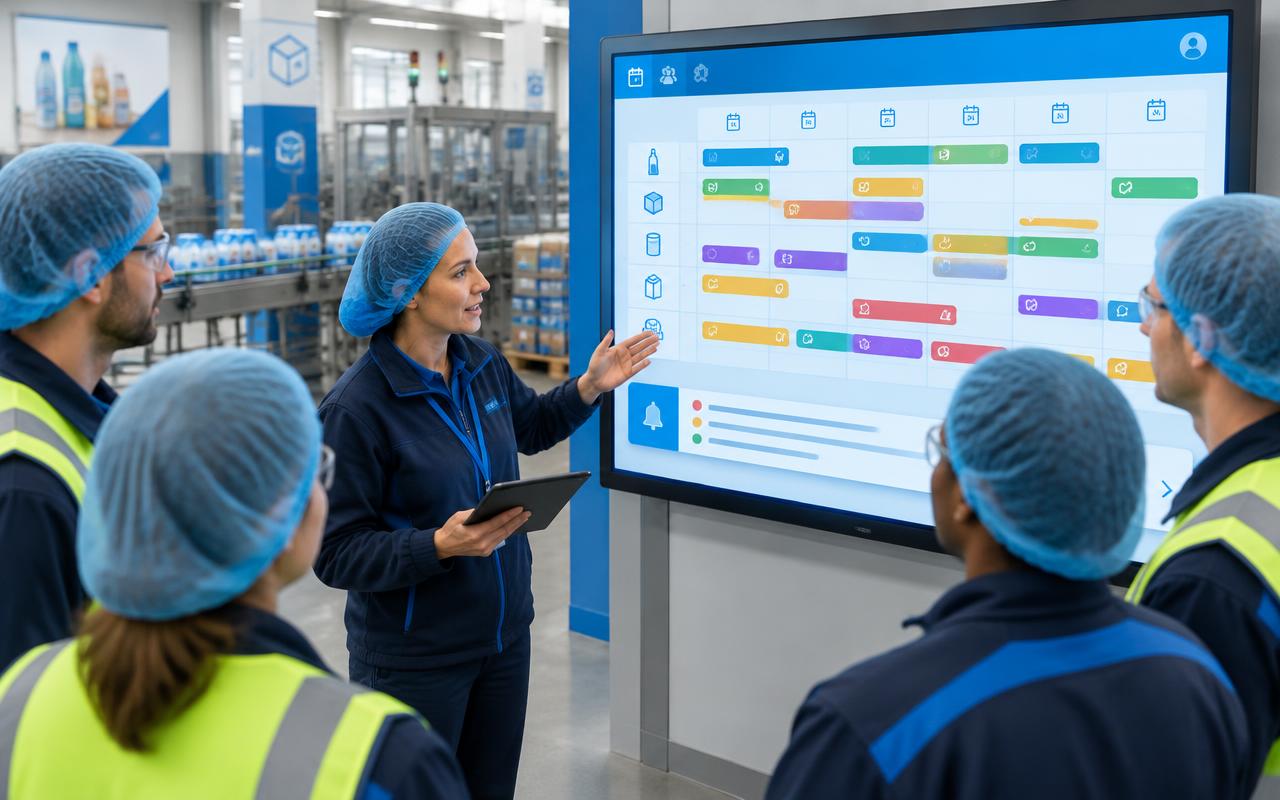
Actions appear on a scheduler by line; unscheduled items sit in a notification bar until someone plans them.
Drag to schedule
Drag a notification onto the scheduler and it becomes a planned action for that time slot.
Share with other departments
Copy, share or unschedule an action in one click when another team needs to act on it.
Save your own view
Filters are saved per user and reload next time, with one button to return to the default.
Readable on any screen
Text size for the notification bar and activities can be changed to suit the screen and the user.
Triggers per department
Quality and safety questions are set once for a department instead of line by line; a live screen shows answers and countermeasures.
Defects straight from team meetings
A defect raised in the team meeting screens can be sent to the action plan in one step.
Upgrade without losing data
A migration tool compares each site's database with the new version and adds only what's missing, after a full backup.
Works on newer ThingWorx
Screens were updated so the scheduler and activity colours work correctly on ThingWorx 9.3 and later.
How It Works: From Problem Found to Action Done
- 1
Open on desktop or tablet
Users log in from any modern browser; tablets can save the app to the home screen.
- 2
Capture an action
Add an activity with an owner and status, or send a defect from the team meeting.
- 3
Plan it
Give it a time, or drag it from the notification bar onto the scheduler.
- 4
Answer the triggers
Quality and safety questions for the department are answered with a single click; YES answers show the countermeasure.
- 5
Share and follow up
Share the action with another department or copy it for a repeat job.
- 6
Upgrade each site safely
Back up, run the migration tool to compare and update the database, then import the new version.
For IT Teams: How It Is Built
ThingWorx runs the screens and logic; a SQL Server database at each site keeps every action, trigger and setting.
- Ap24 screensScheduler, notification bar, filters, activity and trigger screens
- Helper and schedule servicesBusiness logic, user views, scheduled refresh of plant orders
- Database connectorCalls stored procedures to save, share, copy and read actions
- SQL Server databaseHolds actions, notifications, triggers and configuration per site
- Migration toolCompares a site's database with the new version and generates the update
ThingWorx services built
| Service | Purpose |
|---|---|
| Activity services | Save, delete, copy, share and unschedule actions |
| Activity and notification search | Feeds the scheduler and notification bar from the user's filters |
| Plant order sync | Stores process orders locally so the app opens quickly |
| Trigger configuration | Sets quality and safety questions per department |
| Schema validator | Compares tables and procedures before an upgrade, without changing anything |
Design decisions
- The everyday flow was kept the same so teams didn't need retraining
- The migration tool reads and compares first, and only then applies updates, after a backup of data and app
- Settings like text sizes and dropdown values are stored as properties, so each site can adjust them without code
- Labels use ThingWorx localization, so each site can show its own language and terms
- Common site issues, such as an empty scheduler or wrong status colours, are documented with fixes
Outcomes
Less repeat work
Saved views, one-click triggers and defects sent from meetings remove re-entry.
Faster setup for new areas
Triggers are configured once per department instead of per line.
Upgrades without data loss
Sites move to version 2.0 and keep every action they have recorded.
Ready for newer ThingWorx
The app works on ThingWorx 9.3 and later.
Cleaner screens
Obsolete lines can be hidden and text sized to the screen.
Shared ownership
Actions move between departments with one click.
This solution fits if you need to…
- Run a 24-hour action plan for production lines in ThingWorx
- Track quality and safety triggers and countermeasures per department
- Upgrade a ThingWorx app database without losing user data
- Fix ThingWorx 9.3 compatibility issues in a custom app
- Send team meeting defects into a daily action plan
Frequently Asked Questions
What is a 24-hour action plan in manufacturing?
It is the list of actions a production area must complete in the next day — repairs, checks, cleanings and follow-ups from problems found on the line — with an owner and a time for each.
Can ThingWorx run a daily action plan for plant teams?
Yes. In this case a ThingWorx app shows actions on a scheduler by line, keeps unplanned items in a notification bar, and lets teams share actions between departments.
How are quality and safety triggers handled?
Questions are configured once per department. Users answer with a single click, and a live screen shows every YES answer with its countermeasure.
How do you upgrade a ThingWorx app without losing data?
Back up the app and database, then run a migration tool that compares the site's database with the new version and adds only the missing tables and procedures, before importing the new app.
Does it work on ThingWorx 9.3 and later?
Yes. Screens that stopped working on ThingWorx 9.3 and later were updated, fixing issues such as an empty scheduler.
Can it be used on tablets?
Yes. It runs in any modern browser, and users can save it to a tablet's home screen like an app.
Can each site use its own language?
Yes. All labels use ThingWorx localization, so each site can show its own language and terms.