ThingWorx Daily Direction Setting (DDS) Dashboard for Plant Meetings
By PSPTechHub ·
Summary
A daily direction setting (DDS) meeting is the short meeting where a plant team reviews yesterday's safety, quality, defects, maintenance and line performance and decides what to fix today. PSPTechHub worked on eDDS 2.0, a ThingWorx app that collects this information from 10 data sources, including SAP, defect handling, line performance systems and SharePoint, and shows it on one screen for every level of the plant: machine, line, department and plant. It runs on 14 sites, with 35 main KPIs and over 100 KPIs across those levels.
The Problem: Plant Data Was Spread Across Too Many Systems
Every morning, each line, department and plant meets to decide what needs attention today. Before eDDS 2.0, getting the numbers for that meeting meant collecting them by hand from many systems.
Numbers in too many systems
Line performance, defects, maintenance orders, centerline and cleaning checks, and local lists each lived in their own system.
Typing results in again
Results already calculated in one system were copied by hand into meeting sheets, which costs time and causes mistakes.
Different maths at every level
Line, department and plant totals had to be added up the same way everywhere, using the company's standard formulas.
No easy way to compare
Teams couldn't quickly compare machines, lines or departments, or see a trend over the month.
An older version to replace
The previous version, eDDS 1.1, needed an upgrade to cover more sources and more levels of the plant.
The Solution: Dashboards Each Site Builds Itself
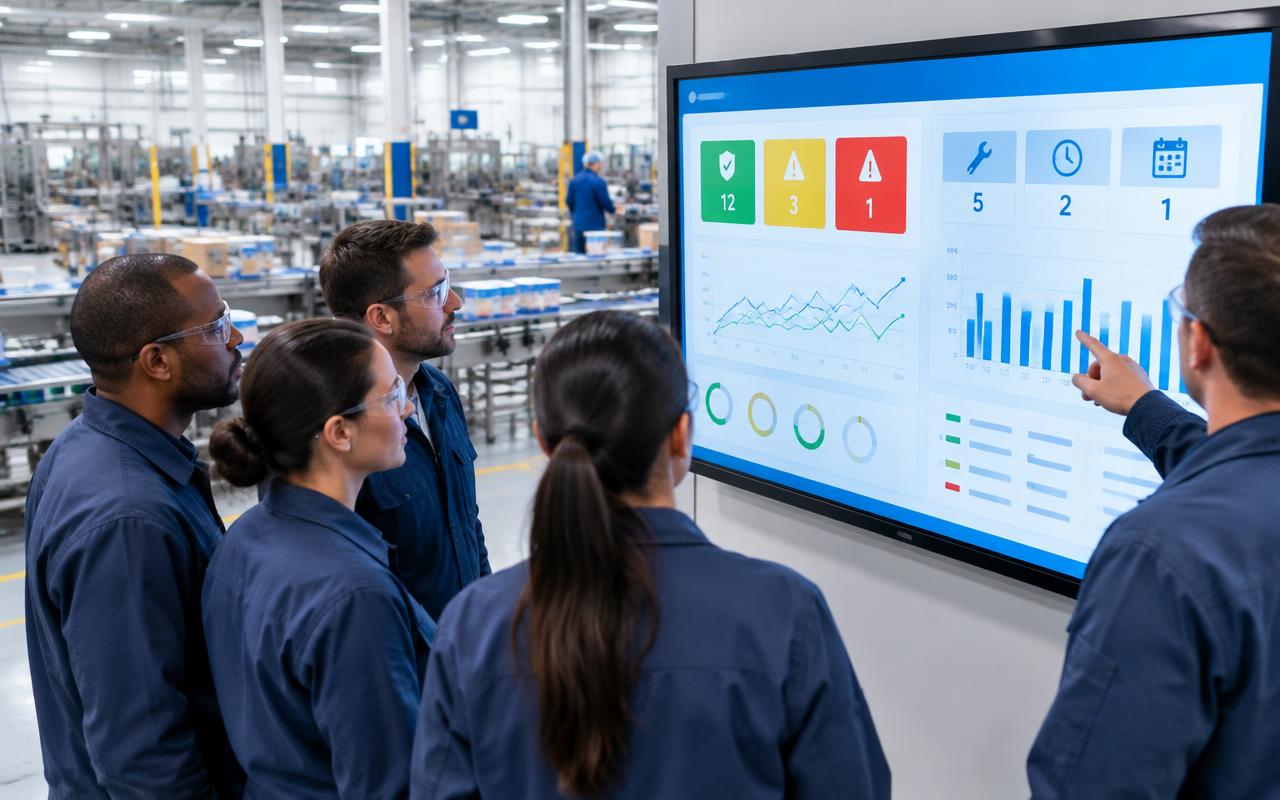
eDDS 2.0 puts everything the daily meeting needs on one ThingWorx screen, with a view for each level of the plant. The data is collected and added up automatically.
One screen per level
Line, equipment owner, department and plant screens, each showing the KPIs that level discusses.
Safety and quality checks
Safety and quality triggers turn green, yellow or red based on yes/no questions the team answers.
Defects at a glance
Defects found, fixed, open and open for more than 30 days, with details one click away.
Maintenance from SAP
Breakdowns, today's maintenance and overdue maintenance orders per machine, straight from SAP.
Centerline and cleaning checks
Completion of centerline (CL) and clean, inspect, lubricate (CIL) checks per machine, plus out-of-limit stops.
Line performance
Performance rate (PR), planned and unplanned downtime, scrap and stops per day for each line and technology.
Top losses with comments
The top 6 reasons a machine lost performance, where the team can add a status and comment.
Incident photos
Teams upload a photo of a safety or quality incident and acknowledge it in the meeting.
Trends for 30 days and month to date
Compare several machines or technologies on PR, downtime, scrap and stops over time.
How It Works: From Data Source to Morning Meeting
- 1
Map the plant
Machines, lines, technologies and departments are set up once, so every KPI knows where it belongs.
- 2
Connect the sources
Links to SAP, line performance, defect handling and local sources are checked and switched on.
- 3
Collect on a schedule
Line and defect data refresh every 30 minutes, maintenance orders every 2 hours and trends once a day before the first shift.
- 4
Add it up automatically
Results are rolled up from machine to line, department and plant with the company's standard formulas.
- 5
Hold the meeting
Each team opens its screen, reviews the KPIs, answers the safety and quality questions and opens details where needed.
- 6
Act and follow up
Open actions, comments on top losses and incidents are saved, so the next meeting starts where this one ended.
For IT Teams: How It Is Built
ThingWorx holds the screens, settings and cached data; each source system stays the official record for its own data.
- Meeting screensLine, equipment owner, department, plant and trend screens
- Plant structureTwo networks: plant to line to machine, and departments to lines
- Calculation servicesRoll up KPIs from machine to plant with standard formulas
- Schedulers and cachingCollect and store data from every source on a fixed schedule
- Data sourcesSAP, line performance, defect handling, action plans, SQL databases, SharePoint and local systems
ThingWorx services built
| Service | Purpose |
|---|---|
| Line performance cache | Stores PR, downtime, scrap and stops per machine, technology and department every 30 minutes |
| Defect cache | Stores the last 3 days of defects plus all open defects for each line |
| Maintenance cache | Loads SAP maintenance orders every 2 hours and sorts them by line |
| Trends scheduler | Builds 30-day and month-to-date trends once a day before the first shift |
| Usage tracking | Records who opens the app and when, so each site can see adoption |
Design decisions
- Data is cached on a schedule, so meeting screens open fast without waiting on each source
- Every KPI is calculated once with the company's standard formulas and reused at every level
- Shift counts and start times are set per site, so 'current shift' and 'last shift' are always right
- Machine details such as SAP codes are filled in bulk from a site spreadsheet instead of one by one
- Local KPIs can be switched on only for the sites that use them
- Each scheduler is enabled with the site's permission during rollout
Outcomes
No more re-typing
Results are collected from the source systems instead of copied by hand.
One version of the numbers
Every level uses the same standard formulas.
Faster meetings
Teams open one screen instead of several systems.
Compare and spot trends
Machines, lines and departments side by side, over 30 days or the month.
Safety and quality first
Triggers and incident photos keep them at the top of every meeting.
Rolled out to 14 sites
The same app runs in test and production across 14 sites.
This solution fits if you need to…
- Build a daily direction setting (DDS) dashboard in ThingWorx
- Show SAP maintenance orders and breakdowns on a plant dashboard
- Roll up line KPIs to department and plant level automatically
- Track centerline and CIL completion on the shop floor
- Replace manual tier meeting boards with a digital dashboard
Frequently Asked Questions
What is a daily direction setting (DDS) meeting?
It is a short daily meeting where a line, department or plant team reviews safety, quality, defects, maintenance and performance from the last shift or day, and agrees what to fix today.
What does eDDS 2.0 show?
Safety and quality triggers, defects, SAP maintenance and breakdowns, centerline and CIL completion, performance rate, downtime, scrap, stops, top losses and 30-day and month-to-date trends.
Which systems does it connect to?
Ten data sources, including SAP maintenance and production planning, line performance and defect handling systems, a 24-hour action plan app, SQL databases and SharePoint.
Can it show results for the whole plant?
Yes. Results roll up from machine to line, department and plant, and each level has its own screen for its meeting.
How often is the data updated?
Line and defect data every 30 minutes, SAP maintenance orders every 2 hours and trends once a day before the first shift starts.
How many sites use it?
eDDS 2.0 is deployed on 14 sites, in both test and production environments.
What does a site need before using it?
Defect handling, centerline and CIL routines already in use, machine codes mapped in the line performance system and SAP, and any local sources prepared.