
Sales Product Configurator on ThingWorx and Windchill for Heavy Equipment
By PSPTechHub ·
Summary
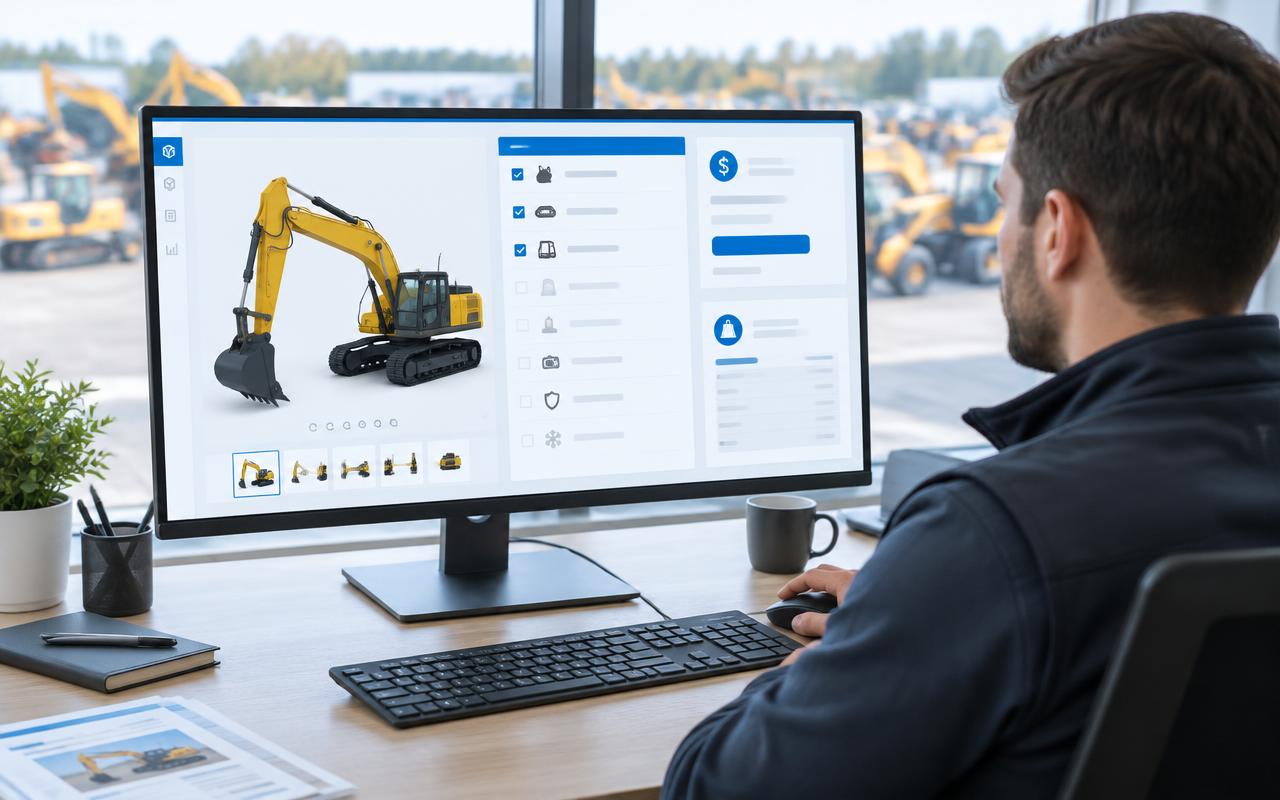
A sales product configurator lets a sales team build a machine the way a customer wants it, choosing only options that actually work together. PSPTechHub built one on ThingWorx for a heavy equipment manufacturer, using product data straight from Windchill. Sales staff pick a machine (utility, construction or mining), choose options, and immediately see the 3D model, price, weight and specifications. Options that don't fit are switched off automatically, and the matching brochures, manuals and manufacturing documents download as one file each.
The Problem: Only Windchill Users Could Raise a Change
The product data for every machine lived in Windchill, an engineering system the sales team doesn't use. Building a machine for a customer meant asking engineering and collecting files by hand.
Product data out of reach
Parts, options, prices and weights sat in Windchill, where sales staff couldn't easily find them.
Options that don't fit together
Some options rule others out, and without a check a quote could include a combination the factory can't build.
Documents scattered
Brochures, operator and parts manuals and manufacturing files had to be found and sent one by one.
Hard to keep up to date
Adding a new machine or changing the option rules needed a developer.
Not everyone should see everything
Teams needed access only to the machine ranges they sell.
The Solution: Simple Apps Anyone Can Use
The Sales Product Configurator opens from ThingWorx Navigate. It reads machine and part data from Windchill and walks the user from machine choice to a finished, documented configuration.
Machine catalogue
Every machine shown as a tile with its picture, grouped into utility, construction and mining.
Choose options step by step
Pick options by category; the list comes straight from the machine's parts in Windchill.
Only valid combinations
Inclusion and exclusion rules switch off options that don't fit and switch on the ones that go with your choice.
Hidden extras handled
Options that should disappear after a choice are hidden by a rule table, not hard-coded.
Live 3D, price and weight
See the machine in 3D and the price and weight update as options change.
Up-to-date specifications
Specifications are pulled from the company's public website, so sales sees the published figures.
All documents in one click
Sales brochures, operator manuals and parts manuals for the chosen options merge into one PDF each; manufacturing files download too.
Printable summary
Print the full configuration and specification to PDF for the customer.
Admin screens
Admins add, edit or remove machines, upload new option rules and manage who sees each machine range.
How It Works: From Problem to Decision
- 1
Open from Navigate
The user clicks Sales Product Configurator in ThingWorx Navigate.
- 2
Pick a machine
They choose a machine from the utility, construction or mining range.
- 3
Choose options
Options load from Windchill; rules switch off anything that doesn't fit.
- 4
Check the result
The 3D model, price, weight and specifications update with every choice.
- 5
Download documents
Brochures and manuals merge into single PDFs; manufacturing files download as a set.
- 6
Print and share
The configuration prints to PDF for the customer or the quote.
For IT Teams: How It Is Built
ThingWorx Navigate gives users simple screens, and Windchill stays the official record for every workflow, permission and decision.
- Configurator screensMachine catalogue, option selection, 3D view, specifications and downloads
- Admin screensManage machines, option rules and user access
- Rule tablesInclusion/exclusion rules and auto-hide mapping loaded from a spreadsheet
- IntegrationWindchill OData and REST connectors, website specification API
- SystemsPTC Windchill, ThingWorx Navigate, company website
ThingWorx services built
| Service | Purpose |
|---|---|
| Machine list | Returns every configured machine with its range and picture |
| Selected product data | Loads the parts and options of the chosen machine from Windchill |
| Attribute details | Returns price, weight and other attributes for the chosen options |
| Specification service | Reads published machine specifications from the website API |
| Document merge | Combines brochures and manuals into one PDF each and saves manufacturing files |
| Rule upload | Reads a spreadsheet of inclusion/exclusion rules into ThingWorx |
Design decisions
- Each machine is its own item in ThingWorx, created automatically when an admin adds a machine
- Product data is read from Windchill, so there is one source of truth for parts and documents
- Option rules are kept in a spreadsheet that product managers already use, then uploaded
- An auto-hide rule table avoids hard-coding which options disappear after a choice
- Access is controlled by machine range groups: utility, construction and mining
- Only the configurator admin group sees the settings screens
Outcomes
Sales works on its own
No more waiting on engineering to answer what a machine can include.
Buildable quotes only
Rules stop combinations the factory can't build.
Instant visuals
3D, price and weight update while the customer watches.
Documents in seconds
Brochures and manuals for the exact configuration arrive as one file.
Easy to maintain
New machines and rules are added from admin screens, not code.
Right access for each team
Each team sees only the machine ranges it sells.
This solution fits if you need to…
- Build a sales product configurator on Windchill data
- Create a CPQ-style machine configurator in ThingWorx
- Apply option inclusion and exclusion rules in a configurator
- Show a 3D product model with live price and weight
- Merge sales brochures and manuals for selected options into one PDF
Frequently Asked Questions
What is a sales product configurator?
A tool that lets a sales team build a product the way a customer wants it, from options that are allowed to go together, and see the result, price and documents straight away.
Can ThingWorx build a product configurator on Windchill data?
Yes. This configurator reads machines, parts and documents from Windchill through OData and REST connectors and opens from ThingWorx Navigate.
How are invalid option combinations prevented?
Each option is marked as included or excluded with others in a rule spreadsheet. When a user picks one, options that don't fit are switched off automatically.
Can it show the machine in 3D?
Yes. The 3D model of the chosen machine is shown next to the options, with price and weight updating as choices change.
Which documents can sales download?
Sales brochures, operator and parts manuals merged into one PDF each, manufacturing files, and a printable PDF of the full configuration.
How are new machines added?
An admin fills in a short form with the name, range, Windchill reference, maximum weight and picture; the machine appears in the catalogue straight away.
Can access be limited by product range?
Yes. Admins choose which users see utility, construction or mining machines, and only admins can open the settings.